MY SETUP The equipment on my list.And what each bit does. This is the equipment I use, with a short explanation of each piece and the fitting details to check. Start with the camera and lenses, or jump straight to the desk accessories.
01
FLEXISPOT EN2 standing desk A 60 × 24-inch sit/stand desk listed with a power strip. It provides the main work surface and lets the desk height change.
Before buying Check the exact size, frame capacity, and the clearance under your desktop before fitting accessories.
View product on Amazon ↗ 02
MOUNTUP triple monitor arm A white desk mount for three monitors. It replaces individual monitor feet so more of the desktop stays usable.
Before buying Match the monitors’ weight, screen size, and VESA pattern to the current listing. Also check the desktop’s clamp area.
View product on Amazon ↗ 03
FLEXISPOT desk casters A set of four wheels for compatible desk legs. Useful if you need to move the desk to reach cables or clean behind it.
Before buying Confirm the thread and desk compatibility. Wheels add height, so check your lowest seated position too.
View product on Amazon ↗ 04
CoJewe under-desk PC bracket A clamp-style tower holder that attaches to a desk leg. Moving the PC with the desk can reduce the distance some cables need to travel.
Before buying The leg fitting is size-specific, not universal. Measure the leg, tower, weight, and ventilation clearance before ordering.
View product on Amazon ↗ 05
Mount-It! under-desk drawer A shallow pull-out drawer with two compartments for small desk items. It adds storage without taking up the working surface.
Before buying Check mounting depth and screw length, plus clearance for knees, desk supports, and cable trays.
View product on Amazon ↗ 06
Creative Pebble Plus speakers A compact pair of desktop speakers with a separate subwoofer. They provide everyday playback without wearing headphones.
Before buying Use headphones during a live conversation if speaker audio is feeding back into the microphone.
View product on Amazon ↗ 07
Bietrun microphone boom arm A desk-clamp arm that brings a microphone closer and swings it away when needed. The listing includes common thread adapters.
Before buying A microphone is not included. Check its weight, mounting thread, and the desk-clamp opening before pairing it.
View product on Amazon ↗ 08
Elgato Stream Deck MK.2 Fifteen programmable LCD keys for actions such as scene changes, mute controls, and shortcuts in supported software.
Before buying It is a shortcut controller, not a video capture device. Keyboard shortcuts can cover the basics while you learn.
View product on Amazon ↗ 09
yAyusi dual video lights Monitor-mounted LED lights with brightness and color controls for lighting a face during calls or recordings.
Before buying Check the mount’s fit and whether it interferes with your webcam. Angle the lights to reduce reflections in glasses.
View product on Amazon ↗ 10
UCEC left-angle Micro HDMI cable A cable with a small angled Micro HDMI plug at the camera end and a full-size HDMI plug at the other end.
Before buying Check the camera socket and the direction of the angled plug. An HDMI cable alone does not make a camera a USB webcam.
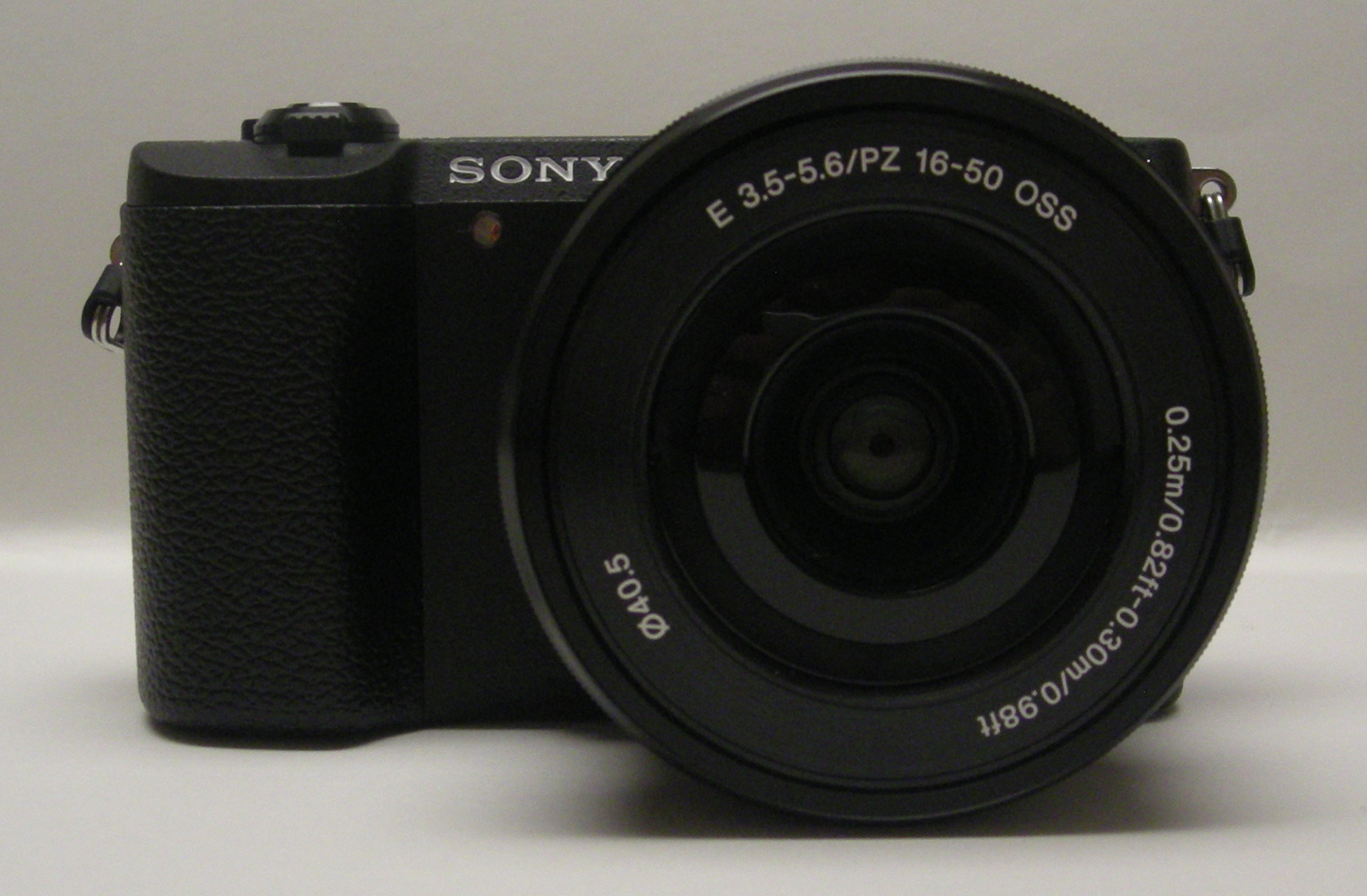
View product on Amazon ↗ Sony a5100 pictured in black with a 16–50mm lens. My body is white; this is a reference photograph by Michael Barera, CC BY-SA 4.0 . THE CAMERA I USE Sony Alpha a5100. My camera is a white Sony Alpha a5100, purchased as a body only. It has a 24.3MP sensor and interchangeable lenses. It records Full HD video rather than 4K.
You do not need a camera this expensive to start. Use your phone first; a dedicated camera adds a lens, power, mounting, and connection decisions.
MY ACTUAL MODEL Body only ≠ a complete camera kit The linked white a5100 listing is a 16–50mm lens kit , not the body-only purchase I made. It had an active purchase offer when checked on October 25, 2026; seller, condition, bundle, and availability can change.
Check a5100 kit offers ↗ For a newer Sony E-mount option, see the ZV-E10 II . It is an alternative, not a claim that I own it.
AUTOFOCUS + MANUAL FOCUS Sony E 16mm F2.8SEL16F28 · Silver A compact, wide-angle Sony E-mount APS-C lens. The wider view can help when the camera has to sit close to the desk.
Focus correction This Sony lens supports autofocus as well as manual focus. It is not a manual-only lens.
Sony lens information ↗ MANUAL FOCUS TTArtisan 25mm F2 An APS-C prime lens; the supplied listing is the Sony version. Its view falls between the 16mm and 35mm lenses here.
Before buying Select the Sony E-mount version. Focus is adjusted on the lens; it will not follow you automatically as you move.
View product on Amazon ↗ MANUAL FOCUS Meike 35mm F1.7 A Sony E-mount APS-C manual-focus prime. It gives a tighter frame than the 16mm or 25mm from the same camera position.
Before buying Allow enough distance for the frame you want. A wide aperture makes focus placement more demanding when you lean forward or back.
View product on Amazon ↗ Compatibility follows the mount. The Sony a5100 and the recommended Sony ZV-E10 II use E-mount APS-C systems, so the Sony E-mount versions of these lenses are the relevant ones. Always check the exact lens version and the camera’s compatibility information. A fixed-lens webcam cannot accept any of them.
Manual-focus pros, cons & fitting checks →